Free commission tracker template for insurance agencies
An Excel workbook with one row per sale and a total for each person. Free, no sign-up, no email.
One workbook, three sheets: Sales, By person and How to use. No macros and no links to other files.
How to use it
- Download the free Excel workbook. No sign-up and no email.
- On the Sales sheet, enter one row per sale: the date, the team member, the product line, the premium and the rate. The sheet works out the commission.
- Open the By person sheet to see each person’s commission, bonus, chargebacks and total.
What goes in each column
The Sales sheet has one row per sale. Here is what each column holds.
| Column | What it holds |
|---|---|
| Date written | The day the policy was written. |
| Team member | Who wrote it, spelled the same way every time. |
| Product line | Auto, Home, Life or the lines your plan names. |
| Premium | The policy’s premium. |
| Commission rate | The rate your plan sets for that line, as a percent. |
| Commission | Premium × rate. The sheet works it out. |
| Bonus | Any bonus for that sale, typed in. |
| Chargeback | Commission that comes back when a policy cancels. |
| Notes | Anything you want to remember about the sale. |
The By person sheet adds up each team member’s commission, bonus and chargebacks, then shows the total.
A worked example
An example with round numbers. Alex writes three policies in one month:
| Line | Premium | Rate | Commission |
|---|---|---|---|
| Auto | $1,200 | 10% | $120 |
| Home | $1,000 | 12% | $120 |
| Life | $1,000 | 15% | $150 |
| Total | $390 | ||
With no bonus and no chargebacks, By person shows Alex at $390. The template opens with these rows so you can see the formulas work.
Tiers, bonuses and chargebacks in a spreadsheet
A tier raises the rate once the month passes a threshold. In a spreadsheet, you change the rate on the sales it covers.
Plans differ on whether a tier covers the whole month or only the premium above the threshold. Check yours before you change a rate.
Type a bonus in the Bonus column of the sale it belongs to. A bonus for the whole month can go on its own row.
When a policy cancels, type the commission that comes back under Chargeback. The By person total takes it off.
For a split, enter the sale twice, with half the premium on each row. Read what is a commission split.
To check one person’s month first, try the free producer commission calculator.
When a spreadsheet stops working
A tracker like this works for a small team and a simple plan.
It gets harder when the plan has tiers, boosts and team bonuses, or when sales wait to issue.
Every rate you change and every formula you copy is a place for a mistake. Nobody sees it until a producer asks about their check.
For the formula itself, read how to calculate producer commissions.
To work out each person’s pay from the sales you record, see commission tracking for insurance agencies.
For the whole office
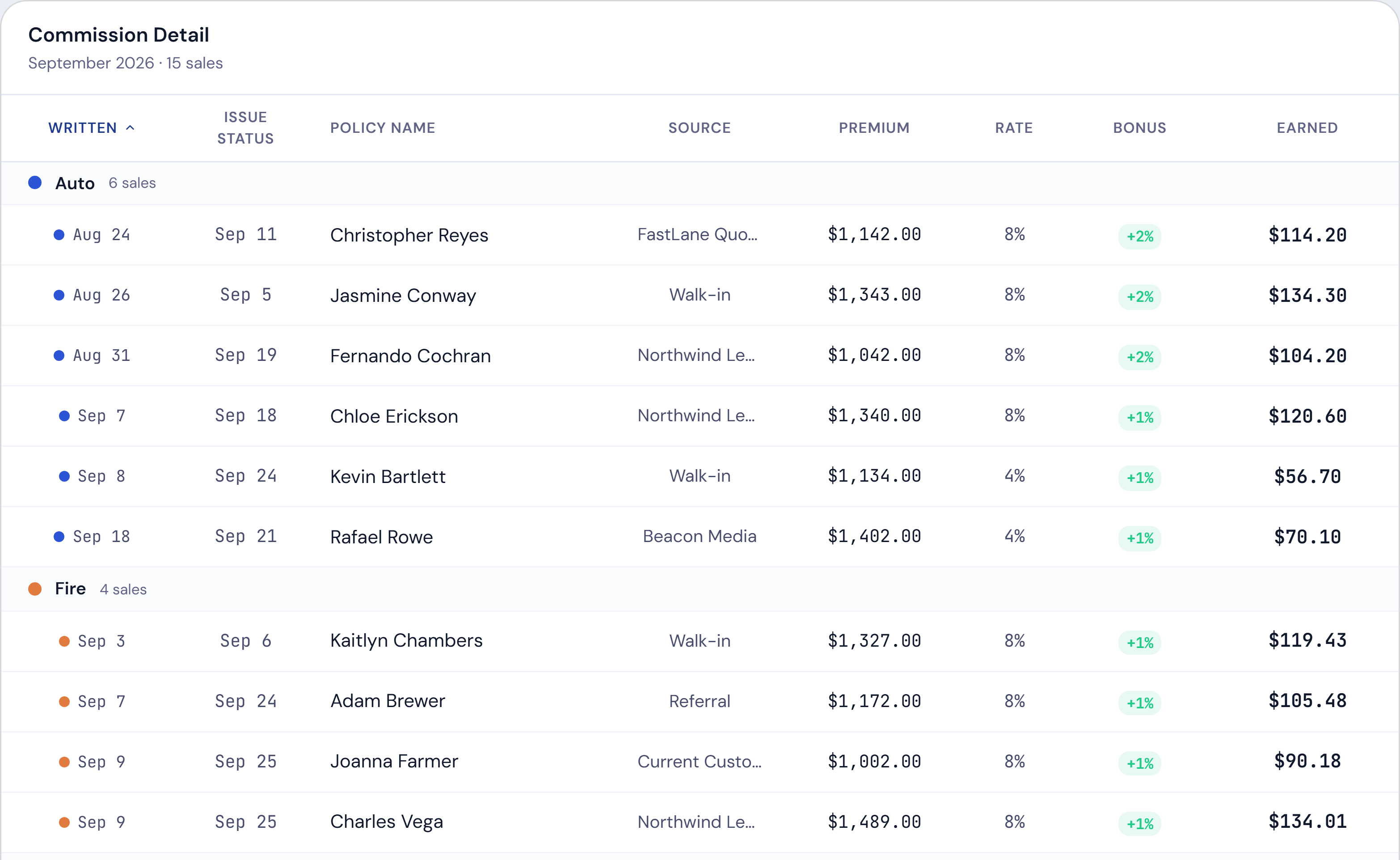
Work it out in Producify
- Build the plan once: rates, tiers, boosts and bonuses
- Every person’s commission each pay period, every sale behind it
- Sales waiting to issue are held until they issue
- A payroll summary PDF for every run
$0 today · then $199/month for the whole office · cancel any time · setup included
Read more
Producify works out each person’s commission from the sales you upload or record. You build the plan once, and every sale behind a figure is one click away. The office pays people its own way.
Before you ask
What should a commission tracker include?
One row per sale with the date, the team member, the product line, the premium and the rate. Add the commission it works out to, any bonus and any chargeback. A total for each person comes from those rows.
Can I track splits between two producers in a spreadsheet?
Yes. Enter the sale twice, one row for each producer, with half the premium on each. Each person’s total then counts their half.
How do I handle a chargeback in my tracker?
When a policy cancels, type the commission that comes back in the Chargeback column on that sale’s row. The By person sheet takes it off that person’s total.