Buying internet leads and not sure which vendor pays off?
Insurance agency lead tracking: see which leads write policies
Upload the lead files your vendors already send you. Producify matches every lead to the sale it became, then shows cost per policy by vendor, by lead profile and by state.
- Works with lead files from EverQuote, QuoteWizard, SmartFinancial, MediaAlpha, ZipQuote and more
- See which profiles of each vendor pay off, state by state
- Cost per policy and payback for every vendor, every month
$0 today · then $199/month for the whole office · cancel any time · setup included
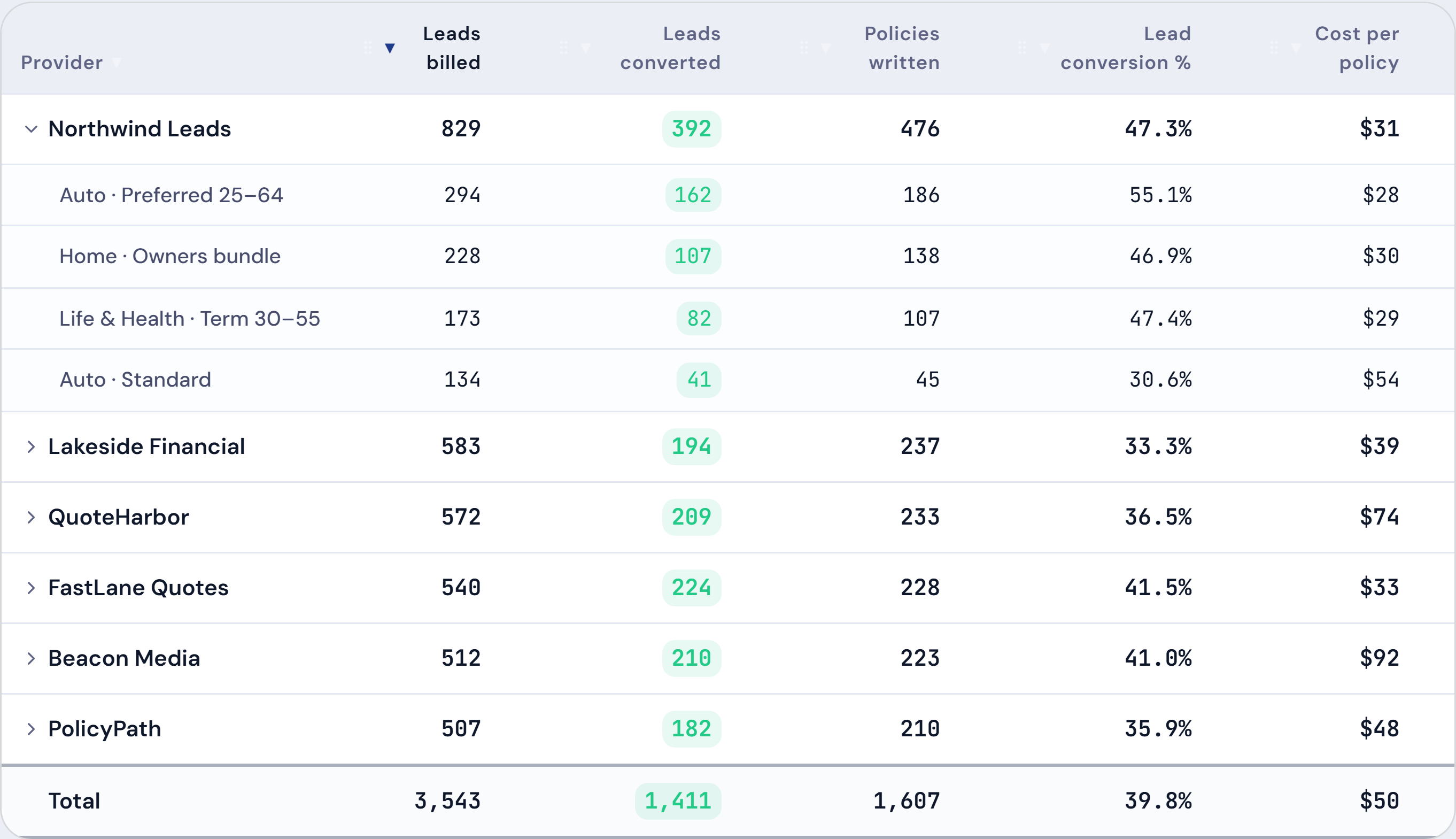
$31
Auto · Preferred 25–64 55.1%
Step 1
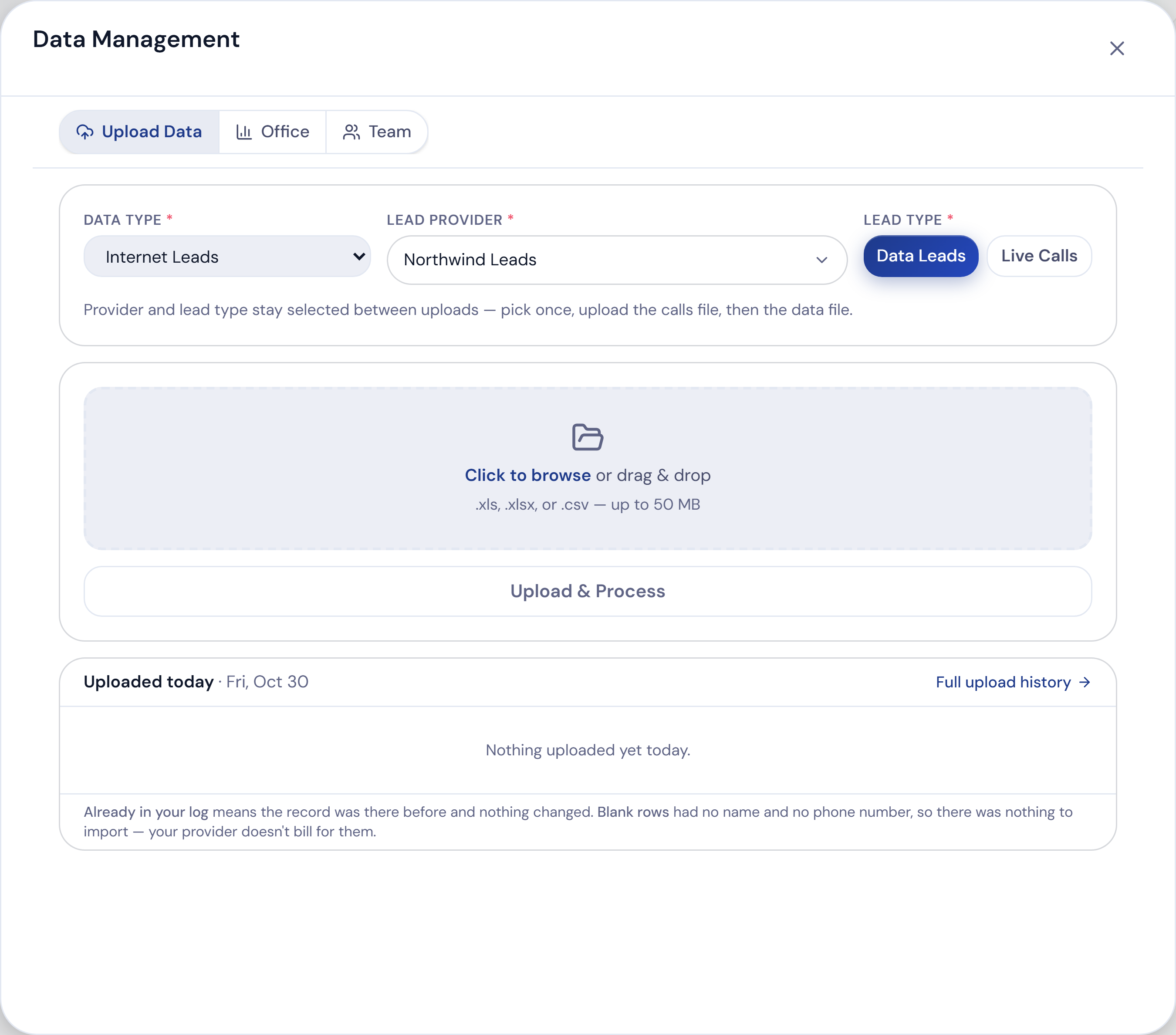
Upload the lead files you already get
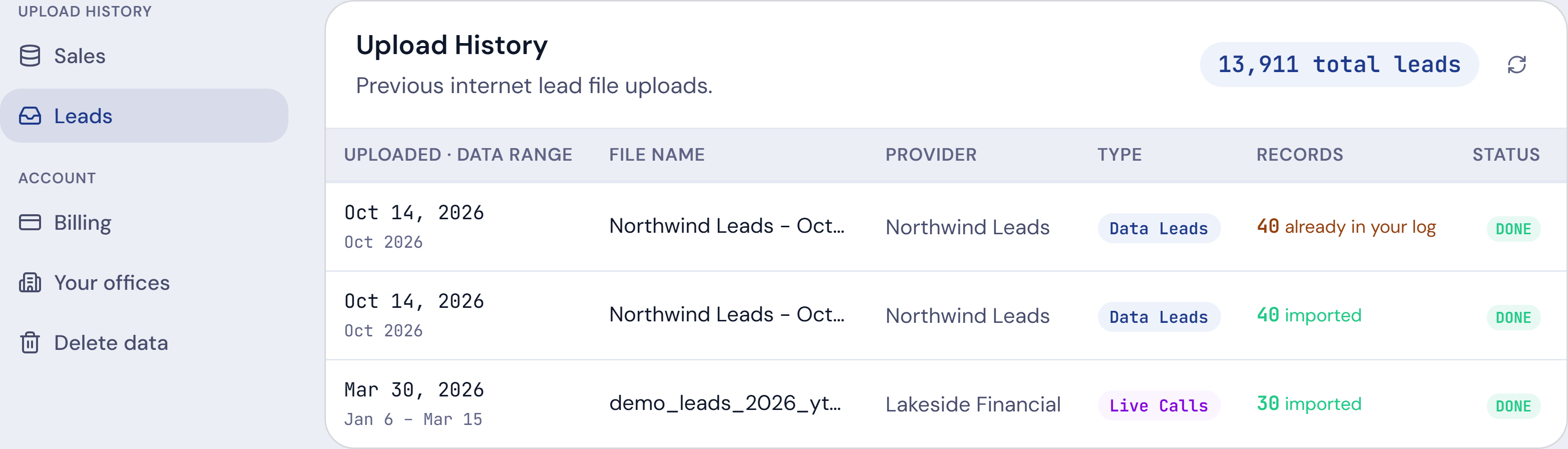
- Pick the vendor, choose Data Leads or Live Calls, drop the file
- Any vendor’s file works: if its columns don’t line up, you match them on screen
- Upload the same file twice and nothing is counted twice
- Credited returns come off what you spent
Step 2
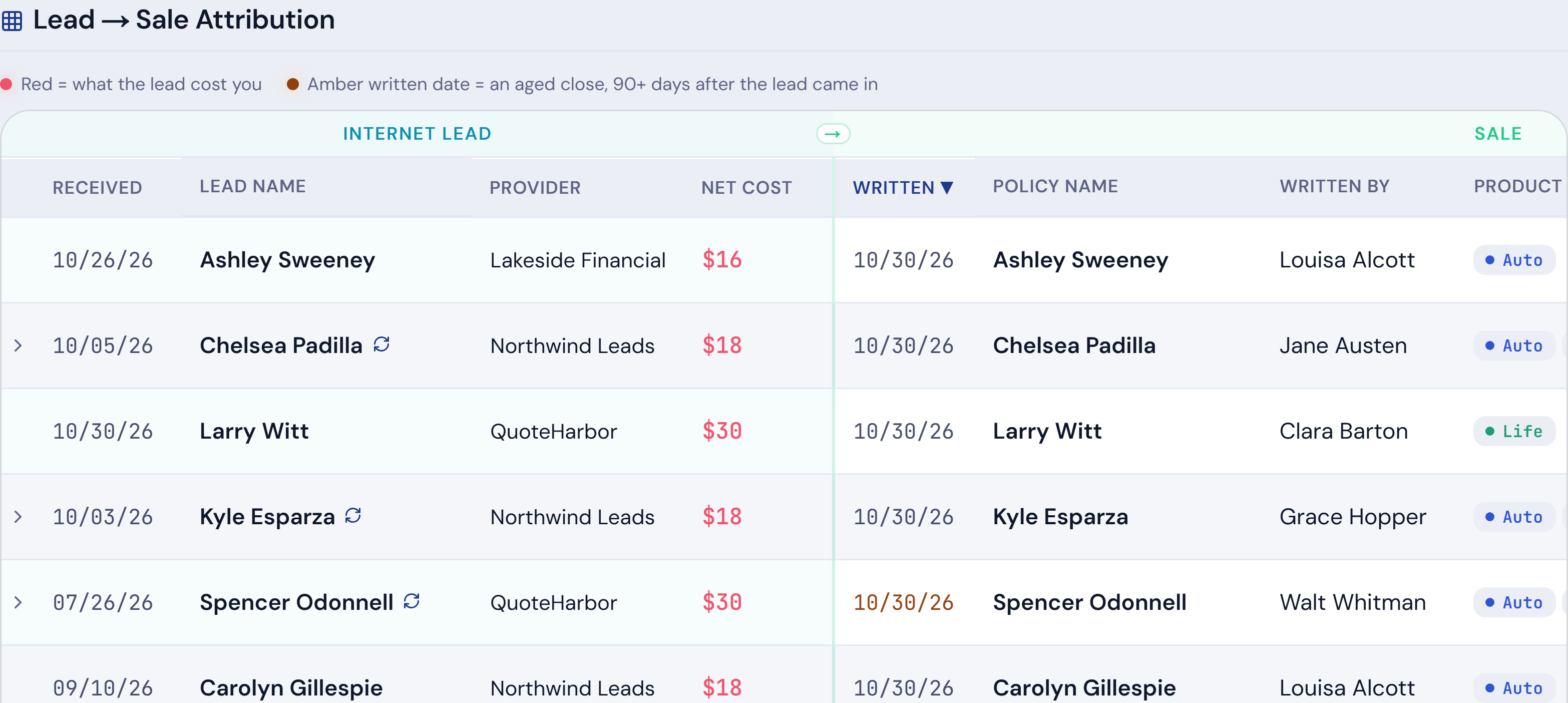
Every lead matched to the sale it became
- Matched on the name, then checked against the sale date and the zip code or state
- Runs after every upload, and on its own a few times a day
- Each match shows why it matched, so you can trust it
- Fix one by hand and it stays fixed
Fresh · sold within 90 days
Aged · sold after 90 days
Repeat · bought again later
Step 3
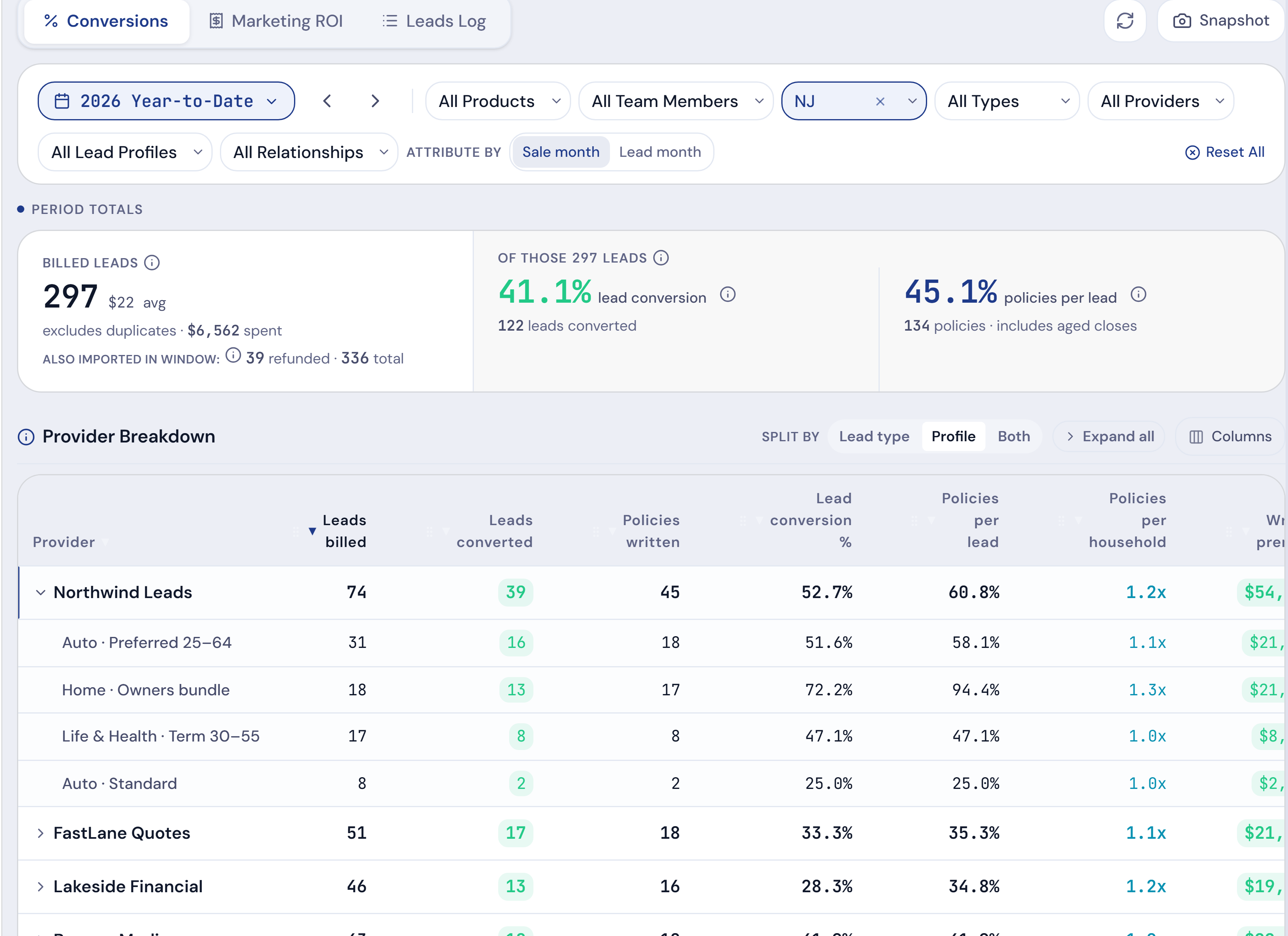
See which profiles pay off, in which states
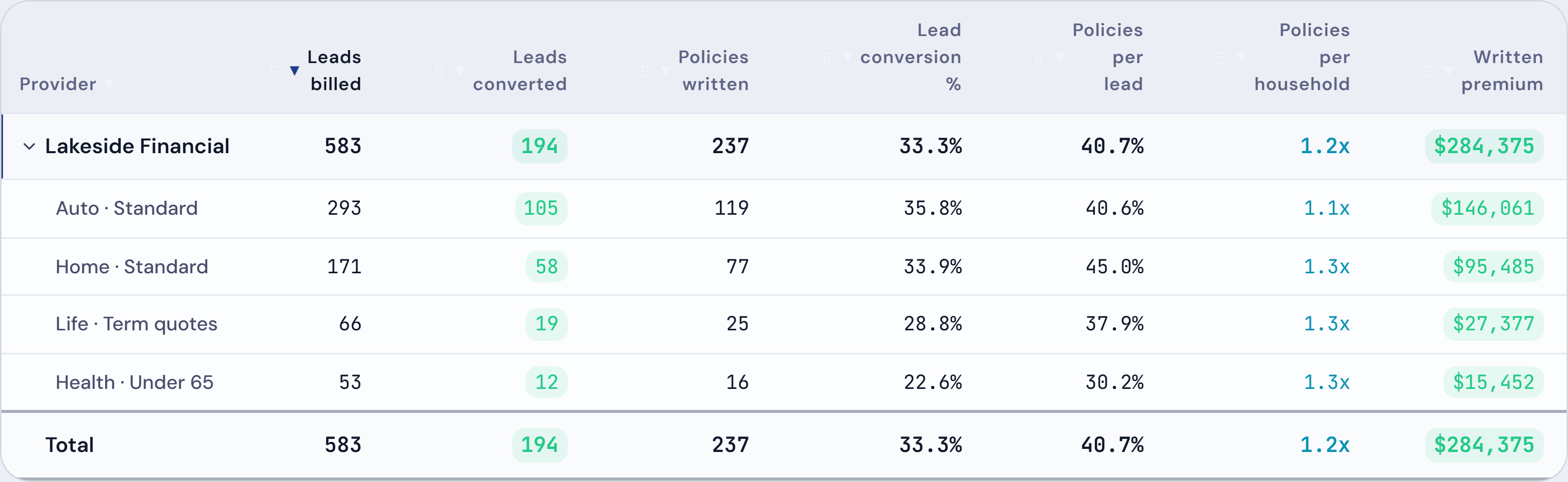
- Most vendors sell you several profiles. Split each vendor into its profiles and see which ones close
- Filter every number by state, so you see where each profile converts and what each policy cost there
- Leads billed, leads converted and lead conversion % for every vendor and profile
- Count by the month the lead came in, or the month it sold
Northwind Leads in NJ · Home · Owners bundle72.2%
Northwind Leads in NJ · Auto · Standard25.0%
Step 4
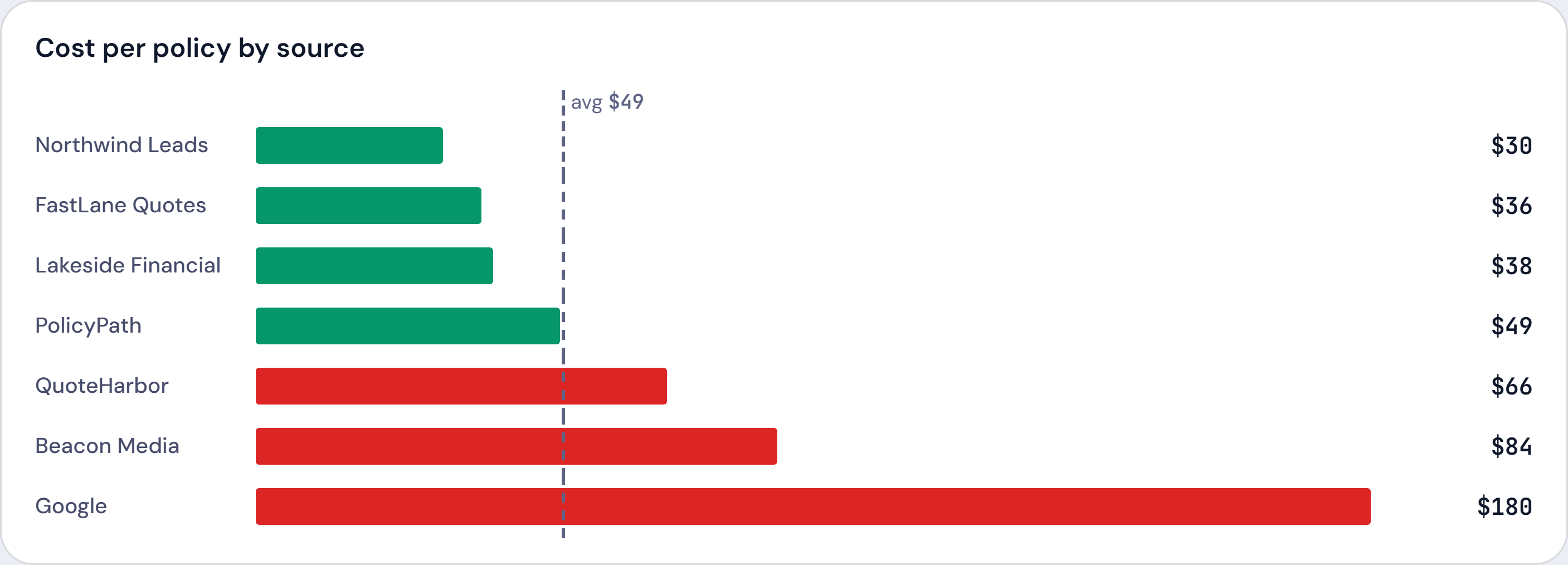
Know what each policy cost, and when a vendor pays back
- Spent, brought in and return for every vendor in one table
- Return so far, after 1 year or after 3 years, with renewals counted
- “Pays back” shows the month a vendor turns positive
- Producer pay comes off the return, so it’s what the office kept
Lowest · Northwind Leads$30
Highest · Google$180
Not ready to upload anything?
Run one vendor’s numbers in the free lead ROI calculator. Nothing you type is saved.
One price for the whole office
$199/month after 30 days free. Setup done with you. No setup fee, no contract, no limit on users.
Questions about lead tracking
Which lead vendors does it work with?
Any vendor that sends you a file of your leads, including EverQuote, QuoteWizard, SmartFinancial, MediaAlpha and ZipQuote. If a file’s columns don’t line up, you match them on screen.
How are leads matched to sales?
Producify compares the name on the lead with the name on the policy, then checks that the sale came on or after the day the lead came in and that the zip code or state agree. It doesn’t use phone numbers or email addresses. Each match shows why it matched, and a link you make or remove by hand is kept.
Can I see which profiles and states convert?
Yes. Split any vendor into its profiles or lead types, and filter the page by state. Every number follows the filter, including cost per policy and return.
Do I have to type leads in?
No. You upload the file the vendor sends. Uploading the same file again is safe: a lead already in your log isn’t added twice.
What about leads the vendor credited back?
Credited returns come off what you spent, so cost per policy counts only the leads you paid for.
Does it track live calls as well as data leads?
Yes. Each upload is marked Data Leads or Live Calls, and you can split a vendor by lead type.
Does this replace the system my team works leads in?
No. Producify doesn’t call, text or assign leads. Keep working leads the way you do now. Producify shows which of them turned into policies, and what they cost.
Who on my team can see the lead numbers?
The owner, and any team member the owner gives the Leads page. Basic access doesn’t include it.
Does it know which vendor’s customers stay longer?
Not yet. Payback counts renewals using your office’s one lapse rate for every vendor.
EverQuote, QuoteWizard, SmartFinancial, MediaAlpha and ZipQuote are trademarks of their owners. Producify isn’t affiliated with or endorsed by them.